
Website Accessibility
We build digital experiences everyone can use—accessible, inclusive, and human-centered.
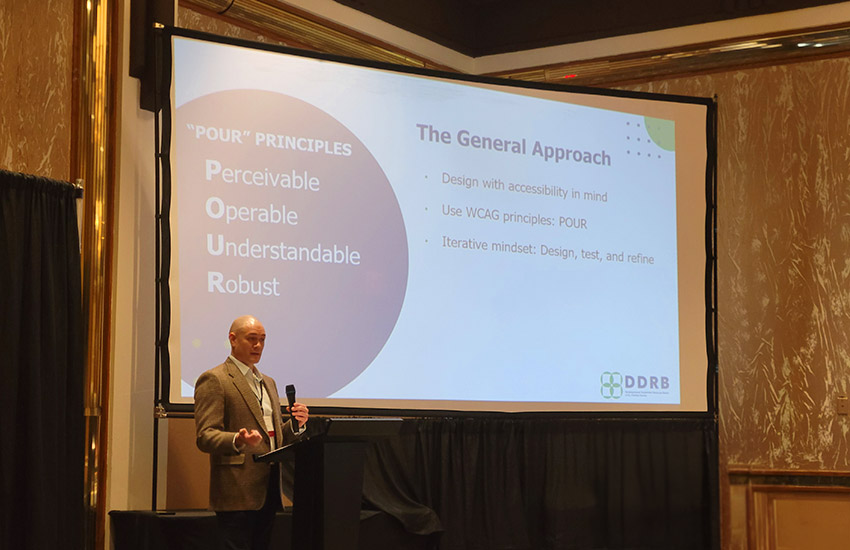
Accessibility isn’t just about checking boxes or following the law. It’s about making sure real people can use your website comfortably, from people who use a screen reader to those who browse on a phone with the sound off.

How we design & develop for accessibility:
We create websites that are easy to read, simple to navigate, and comfortable for people using different devices, tools, and with different abilities, without you needing to learn the technical side.
Accessible Colors
We choose color combinations that are readable for everyone, including users with low vision or color blindness.
Plain Language
Content is written clearly so visitors can quickly understand what you offer without confusion.
Easy-to-Read Fonts
We use clean, legible typography sized and spaced to reduce eye strain and support all readers.
Clear & Descriptive Links
Links tell users exactly where they’ll go — no vague “click here.”
Simple, Intuitive Navigation
Menus are organized so visitors can find what they need without searching or guessing.
Responsive, Flexible Layouts
Pages adapt to any screen size and support people who rely on keyboard navigation, not just a mouse.
Adjustable User Tools
We can add tools that let visitors customize their experience, like increasing text size or boosting contrast.
Screen Reader Support
We structure pages so assistive technology can read them in a logical, helpful order.
Helpful Visual Descriptions
Photos get alt text descriptions and videos include captions or transcripts.
Accessibility Insights & Tips
Dive into accessibility basics with clear guidance, real examples, and tips you can put into practice today.

Accessibility Questions, Answered
Website accessibility means that websites, apps, and tools can be used by people with disabilities. This includes people with blurry, low, or no vision, motor impairment, low or no hearing, people with different cognitive abilities, and more who may be using assistive tools such as screen readers, keyboard navigation, and screen magnifiers.
There are a couple of tools you can use to check your site’s accessibility. A good place to start is with the WAVE Chrome plugin. It checks for proper color contrast, presence of ARIA tags, HTML structure, Alt tags, and more.
If you want more information about how your site is doing, TPI offers free accessibility audits that dive deeper into how your site is performing.
Start with an accessibility audit by using the WAVE plugin, or something similar. Then prioritize the easy fixes, like font size, alt text, and link language. From there, you can plan for making more involved improvements, like restructuring the HTML or reworking your navigation to be more user-friendly and keyboard-friendly.
The law states that digital content must be usable by people with disabilities, which is pretty vague. The best practice is to follow Web Content Accessibility Guidelines (WCAG) version 2.1 level AA, which outlines 50 measurable ways to make websites and apps accessible.
No, a plugin by itself isn’t enough to make your website fully accessible (or legally compliant). Some plugins can help with things like font size or colors, but they fall short when it comes to navigation, structure, link language, and content issues.
Studies show that improving your website’s accessibility can have a lot of benefits for your business. It can help improve your SEO rankings, boost usability for everyone, and help you reach a wider audience, since 25% of adults have a disability.
How much it costs to make your website accessible depends the complexity and amount of work that needs to be done. For example, updating font colors is simpler than updating HTML on a large, complex site.
Of course. Whether you update your current site or redesign it to modernize it and make it accessible, your site can be improved.
We’re happy to help.
We invite you to connect with our team to partner on your next project or explore whether TPI is a good fit. Take a moment to help us understand your needs, and we’ll make sure the right person responds right away.